A signature worth signing with
Type your name and pick a style, scan the signature you already use, or draw one with your finger. Signafy hands you a clean, transparent PNG you can drop into any document.
12 styles · Scan from paper · Transparent PNG

Three ways to get your signature
Start from a blank page, from your pen, or from your finger. Every signature lands in the same place, ready to recolor and export.
-
I
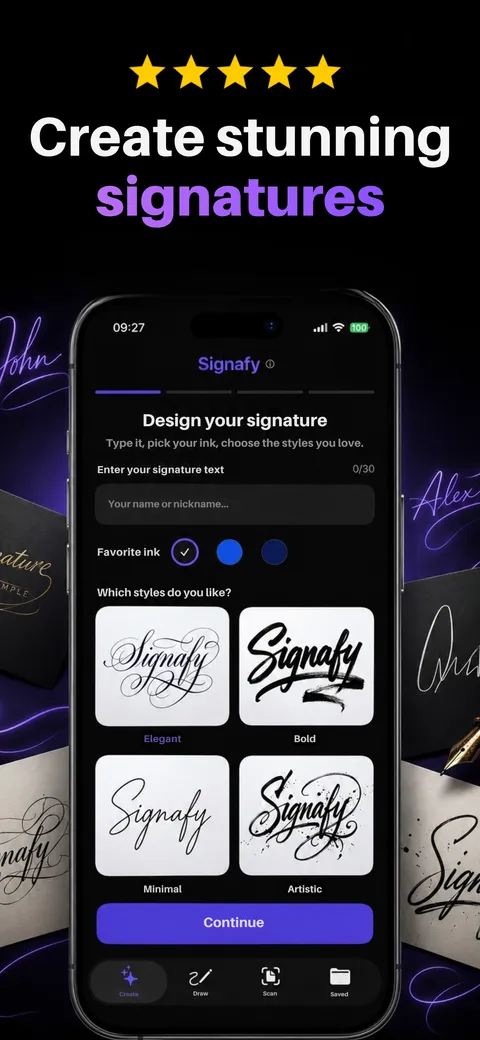
Create from your name
Type your name, choose full name, first name or initials, and pick one of 12 styles. Signafy draws one signature for you each run, so run it again for a new take.
-
II
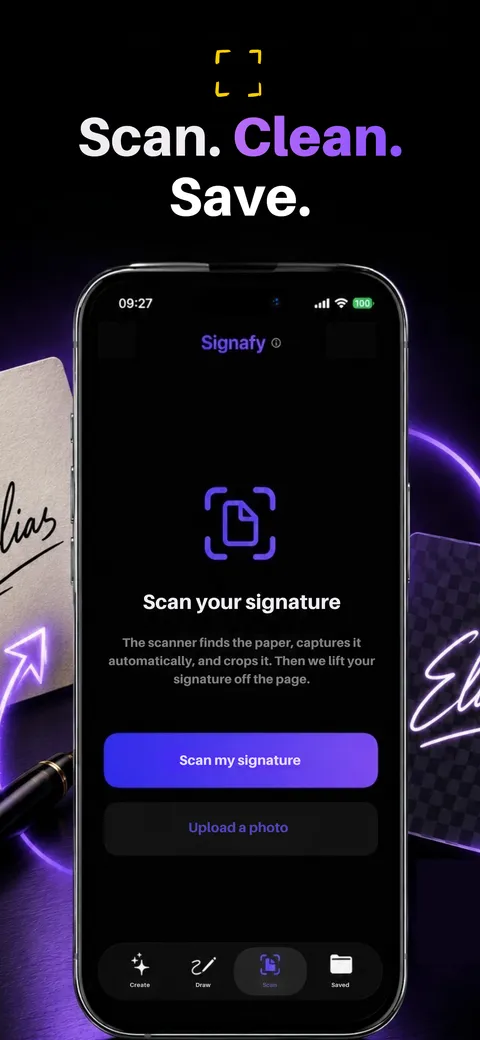
Scan the one you sign
Sign a sheet of paper, then photograph it or pick a photo. Signafy lifts the ink off the page on your phone and drops the background, leaving clean strokes.
-
III
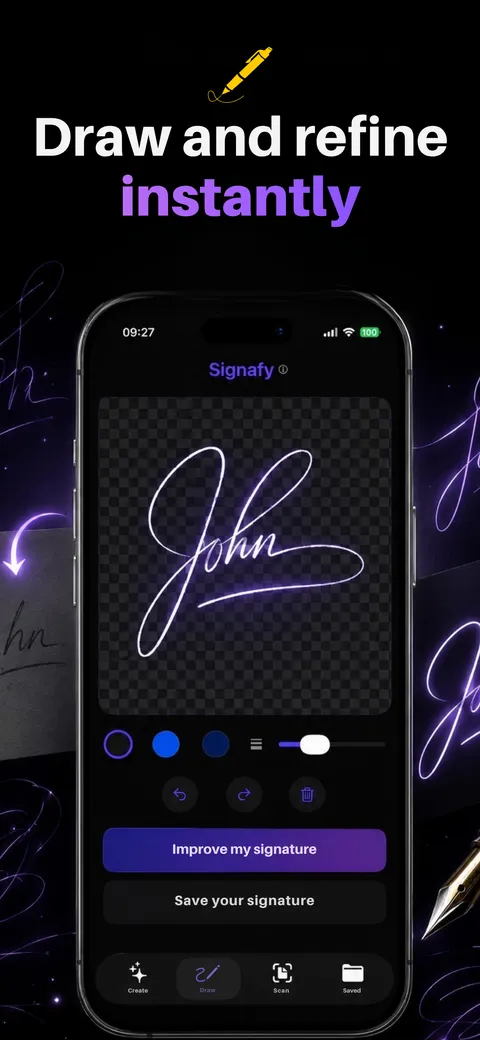
Draw it and refine it
Sign with your finger on the pad. Keep your own hand and let Signafy smooth it, or push it toward one of the styles.
12 styles, from elegant to quick scrawl
Each card shows the word Signafy written in that style. Yours comes out with your name, in a fresh version every time.

Elegant 
Calligraphy 
Minimal 
Playful 
Artistic 
Classic 
Monoline 
Bold 
Quick scrawl 
Vintage 
Sharp 
Gothic
Ready for real paperwork
The result screen is where a signature becomes a file you can use.
-
Transparent background
The PNG has no white box behind it, so it sits on a signature line the way ink would.
-
Any ink color
Switch between black, navy and red, or pick any color. The app re-tints the strokes without drawing a new signature.
-
Check it on light and dark
Preview the signature on white, on dark and on a transparent grid before you export it.
-
Save, share or keep
Save it to Photos or Files, share it to another app, or keep it in My Signatures for next time.



Where people use it
Anywhere a document takes an image of your signature.
PDFs and forms
Place the PNG in a PDF editor and sign a lease, a permission slip or an invoice without printing it.
Email signatures
Add a handwritten sign-off under your name in Mail, Gmail or Outlook.
Letters and documents
Insert it into Word, Pages or Google Docs above your printed name.
Art and photos
Sign your drawings, prints and photos with a mark that looks like your hand.
Signafy makes the signature image. It does not send documents for signing or verify who signed, so a contract that needs a certified e-signature still needs a service built for that.
Want to see your name first?
The free signature maker on this site sets your name in 12 handwriting fonts and downloads a transparent PNG, right in your browser. The app goes further: it draws a signature for you instead of setting a font.
Open the signature maker →Your signature stays yours
Saved on your phone
My Signatures lives on your iPhone. There is no account, and nothing syncs to a server of ours.
You decide what goes to the AI
The app asks before it first sends your name or a drawing to its AI service, and it names the providers. A scan is cleaned up on your phone.
No ads
Signafy shows no ads and does not track you across other companies’ apps or websites.
Questions people ask
Can Signafy sign a PDF for me?
No. Signafy makes the signature image, a transparent PNG. You place that image in the app that holds your document, such as a PDF editor, Word, Pages or Google Docs.
Is an image of my signature legally valid?
That depends on the document and where you live. Many everyday forms accept an image of a signature, while some contracts require a certified e-signature service that verifies who signed. Signafy does not verify identity, so check what your document needs.
Is Signafy free?
Signafy is free to download. Creating, scanning and saving signatures need a subscription, billed through your Apple ID. You can cancel it any time in your App Store settings.
Will someone else get the same signature?
Every run draws a new signature from your name, so two people with the same name and style still get different results. The styles are generic, and the app never copies a real person’s signature.
What happens to the signature I scan?
Signafy removes the paper background on your phone. Only if a scan is too hard to clean up does the app offer to send it to its AI service, and it asks you first.
What file do I get?
A PNG with a transparent background, in the ink color you choose. Save it to Photos or Files, or share it straight into another app.
Sign like you mean it.
Download Signafy and make your signature in a minute.